Coags Uncomplicated2.5.0
Publisher Description
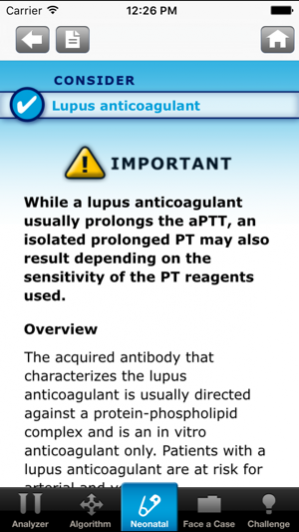
Download the one-of-a-kind resource that can provide you with instant access to comprehensive bleeding disorder information anytime, anywhere. Coags Uncomplicated™ has helped put an expert bleeding disorder reference at the fingertips of >7000 healthcare professionals across >10 specialties ranging from hematology and oncology to critical care and pediatrics.
In a survey of 262 healthcare professionals who use Coags UncomplicatedTM:
-The app was rated 4.25 out of 5
-89% have used it as a reference in clinical decision making or case management
-Nearly 9 in 10 would recommend it to colleagues
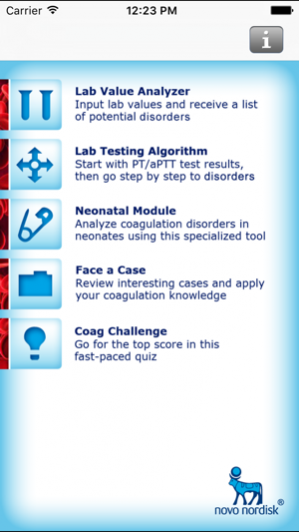
Comprising lab patterns and thorough disease descriptions for dozens of bleeding disorders and blood tests, Coags UncomplicatedTM includes valuable tools to aid you in the identification of bleeding disorders. Features of the app include:
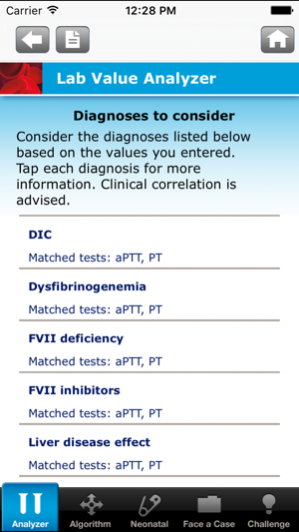
-Lab Value Analyzer: Enter lab results to receive a list of possible diagnoses to consider from a database of >60 bleeding disorders
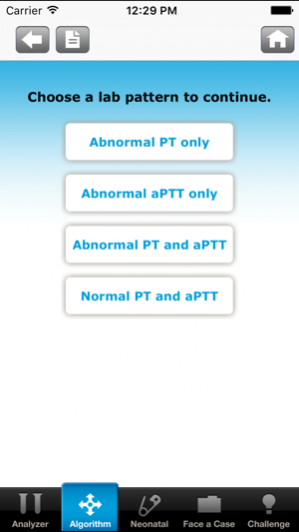
-Diagnostic Algorithm: Begin with prothrombin time and activated partial thromboplastin time results, then narrow your differential diagnosis
-Neonatal Module: Receive specialized assistance to help you evaluate bleeding disorders in the neonatal population, where normal values are age sensitive
-Face a Case: Test your clinical skills with 5 case studies across a variety of bleeding disorders, both adult and pediatric
-Coag Challenge: Answer challenging bleeding disorder questions in an educational, fast-paced quiz
Designed for professionals by professionals, Coags UncomplicatedTM was developed by Novo Nordisk in partnership with key thought leaders in hematology and coagulation assays:
-Craig M. Kessler, MD, MACP, Professor of Medicine and Pathology, Director of the Coagulation Laboratory, Georgetown University Hospital, Lombardi Comprehensive Cancer Center, Washington, DC
-Ellinor I. Peerschke, PhD, FAHA, Vice Chair, Department of Laboratory Medicine, Head of Hematology and Coagulation Laboratory Services, Memorial Sloan-Kettering Cancer Center, New York, NY
-Meera B. Chitlur, MD, Associate Professor of Pediatrics, Wayne State University School of Medicine, Staff Physician, Division of Hematology/Oncology, Children’s Hospital of Michigan, Detroit, MI
-Roshni Kulkarni, MD, Professor of Pediatrics and Human Development, Director of Pediatric and Adolescent Hematology/Oncology, College of Human Medicine, Michigan State University, East Lansing, MI
Get Coags UncomplicatedTM today and discover the in-depth clinical information that thousands of healthcare professionals are already using.
Coags Uncomplicated™ is a reference tool. Clinical correlation and consultation with a hematologist are advised to ensure an accurate diagnosis.
Novo Nordisk Inc., 800 Scudders Mill Road, Plainsboro, New Jersey 08536 U.S.A.
Coags Uncomplicated™ is a trademark of Novo Nordisk Health Care AG.
Novo Nordisk is a registered trademark of Novo Nordisk A/S.
© 2013 Novo Nordisk All rights reserved. 1013-00018569-1 November 2013
Nov 28, 2017 Version 2.5.0
Bug Fixes
About Coags Uncomplicated
The company that develops Coags Uncomplicated is Novo Nordisk. The latest version released by its developer is 2.5.0.
To install Coags Uncomplicated on your iOS device, just click the green Continue To App button above to start the installation process. The app is listed on our website since 2017-11-28 and was downloaded 8 times. We have already checked if the download link is safe, however for your own protection we recommend that you scan the downloaded app with your antivirus. Your antivirus may detect the Coags Uncomplicated as malware if the download link is broken.
How to install Coags Uncomplicated on your iOS device:
- Click on the Continue To App button on our website. This will redirect you to the App Store.
- Once the Coags Uncomplicated is shown in the iTunes listing of your iOS device, you can start its download and installation. Tap on the GET button to the right of the app to start downloading it.
- If you are not logged-in the iOS appstore app, you'll be prompted for your your Apple ID and/or password.
- After Coags Uncomplicated is downloaded, you'll see an INSTALL button to the right. Tap on it to start the actual installation of the iOS app.
- Once installation is finished you can tap on the OPEN button to start it. Its icon will also be added to your device home screen.
Program Details
System requirements
Download information
Pricing
Version History
version 2.5.0
posted on 2017-11-28
Nov 28, 2017 Version 2.5.0
Bug Fixes
